
LIMITED EARLY LAUNCH · FREE LIFETIME CORE ACCESS FOR FIRST 100 USERS

Scan Visiting Cards on Mobile. Run Telecalling Pipelines on Web.

Point your camera to scan cards, save directly to your phone contacts or Scanexa cloud, export to Excel, and share your personal digital QR code. Activate free Web CRM desktop access from the app to assign leads to telecallers, log call statuses, and manage follow-ups.

Registration is completed exclusively on the mobile app. Free Web CRM access is unlocked via your in-app profile.
AI-powered card capture Mobile-to-web sync Calling workflow
app.scanexa.app / dashboard

Workspace overview

Good morning, Alex ✦

AK

Total leads

1,284

↑ 12.8% this month

Calls today

186

Across 8 callers

Follow-ups

24

Due today

Calling queue

View all →
SP

Shreya Patel

Nexa Technologies

Callback
AM

Arjun Mehta

Vertex Solutions

New
RK

Riya Kapoor

BrightPath Group

Meeting

Lead pipeline

New leads48%
Callbacks28%
Meetings16%
Enrolled8%

Next follow-up

10:30 AM · Shreya Patel

Your team is in sync Cloud synced
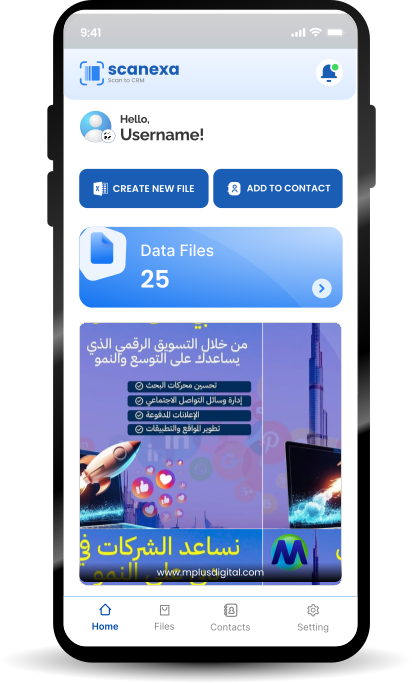
Scanexa mobile app screen

First 100

Early adopters

100% free full-featured access

99.4%

AI accuracy

Automatic contact extraction

Zero

Lost leads

Real-time cloud synchronization

1-Click

Universal export

Excel & CSV

Dual-power platform

From Pocket Card to Closed Customer in One Seamless Flow

Standalone scanner apps trap your leads inside your phone. Traditional CRMs are too bloated and complicated for field events. Scanexa bridges both worlds: capture cards at exhibitions or client visits on your phone, then manage and dial them from your computer.

01 · Capture

Scanexa Mobile App

Capture and exchange, wherever business happens.

AI-powered capture

Turn a paper card into structured data

NamePhoneContact
  • AI card scanning with automatic crop
  • Save to phone contacts or Scanexa cloud
  • Generate a personal digital contact QR
  • Instant Excel / CSV export
  • Exclusive master registration portal

For founders, sales representatives & business executives.

Cloud sync
02 · Convert

Scanexa Web CRM

Your sales and calling engine, ready on desktop.

Lead journey

Live workspace
NewCallbackMeetingWon
  • Create telecallers and assign lead batches
  • Log call statuses and timestamped notes
  • Manage follow-ups and meeting schedules
  • Track pipeline from New to Enrolled
  • Secure web access activated in the app

For sales managers & telecalling teams.

Mobile scan Cloud sync Web CRM Telecaller Customer
Core capabilities

Everything You Need to Capture, Organize, and Convert

A focused toolkit for the complete journey from first introduction to meaningful follow-up.

Mobile app features

Capture and carry every connection with you.

On the go

High-Speed AI Card Scanner

Scan paper visiting cards in seconds. OCR extracts name, designation, company, phone, email and website.

AI capture

Flexible Contact Saving

Save directly to native smartphone contacts or store contacts inside private Scanexa cloud lists.

Your contacts

One-Click Excel & CSV Export

Generate formatted Excel and CSV files. Share your list or keep a convenient backup.

Easy export

Unique Digital QR Code

Display a personal digital business card and let prospects scan to save your contact details.

Share instantly

Web CRM features

Organize team activity and move leads forward.

At your desk

Telecaller Setup & Lead Allocation

Create telecaller accounts, distribute scanned lead batches and manage calling assignments.

Team management

Live Call Outcomes & Follow-up Logs

Track Interested, Callback Requested, Busy and Wrong Number with notes and callback alerts.

Call activity

Pipeline & Lead Status Tracking

Move opportunities through New, Callbacks Due, Meetings, Proposals and Enrolled / Won.

Clear pipeline

One-Tap Web CRM Activation

Register using the mobile app, activate Web CRM in profile settings and log in through a browser.

Simple access
Simple onboarding

Start Closing More Leads in 4 Easy Steps

One quick setup connects your mobile contacts to your desktop workflow.

01

Scanexa

Download & Register on Mobile

Install Scanexa from App Store or Google Play and create your free account.

02

Scan Cards or Share Your QR

Capture paper cards, save contacts, export Excel or share your personal QR code.

03
Activate Web CRM

Activate Web CRM Inside the App

Open mobile profile settings and tap Activate Web CRM Access.

04

Log In on Desktop & Start Calling

Visit scanexa.app, create telecallers, assign leads, log call statuses and manage conversions.

Platform previews

Built for Speed on the Go.
Structured for Results on the Desk.

A closer look at the mobile-to-desktop experience.

Mobile experience

Designed for your next introduction

9:41•••

Scanexa AI

Scan a card

Align card in frame
Capture card

Scanexa mobile app · Actual supplied app screen.

Mobile previews use supplied Scanexa app screenshots. Web CRM previews are custom interface concepts created for Scanexa.

Exclusive launch offer

Claim Free Access for the First 100 Users

We are rolling out Scanexa globally. Early adopters who register via the mobile app receive 100% free access to both the mobile AI card scanner and the desktop telecalling CRM. Lock in your core features today before standard subscription tiers take effect.

Download App to Secure Free Spot

No countdown. No pressure. Early access for the first 100 registered users.

Launch milestoneEarly access
100users
Launch cohortCore access included

AI Scanner

Mobile app access

Web CRM

Desktop workspace

One mobile account. One connected lead workflow. Built to grow with your team.

Your workspace is waiting

Already Registered on the Mobile App?

Open your desktop workspace to manage telecallers, review call logs, and track daily follow-ups.

Need an account? Download the mobile app on iOS or Android to register and activate CRM privileges.

Launch Scanexa Web CRM Login
Get in touch

Have Questions or Need Enterprise Support?

Whether you have questions about Scanexa, want custom telecalling team setups, or need technical help, reach out to our team.

Let's make every connection count.

Talk to our team about onboarding, product support, or a telecalling workflow that fits your business.

Email our team[email protected]
Global supportUAE & India
Here to help your team move forward.

Send us a message

Fields marked * are required.

Quick verification *
3 + 4 = ?

This demo form validates in your browser. Connect it to your backend or form service to receive submissions.